
Resource Library
VIDEOS - WEBINARS - RESOURCE GUIDES - PHONE SYSTEM TRAINING
Watch our Educational Videos
Each of the short videos below will give you a comprehensive overview of the topic.
AI Tips & Training
Explore AI tips and training resources to help your team work smarter and get more from modern AI tools.
Business Phone Systems: VoIP Cloud Hosted PBX vs. Traditional Premise Based Phones
VoIP Unified Communications - How to Use Your Cell Phone to Access Your VoIP Business Phone System
Business SMS: Text Messaging From Your Business Phone System To Improve Customer Support
SMS Bot: Set Up Your VoIP Business Phone System to Auto Reply To Text Messages From Customers
Work from Home or Work Remote With Your Cloud VoIP Phone System
Top Cybersecurity Tips for Remote Working Securely
Watch our Latest Webinars On-Demand
On-demand webinars are archived recordings of previous Garam Group webinars, available 24/7 for viewing at your convenience.
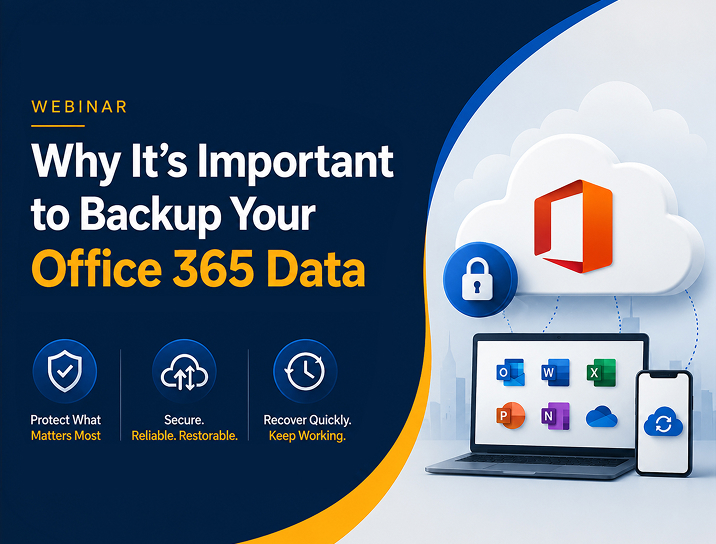
Why It's Important to Backup Your Office 365 Data
Data stored in cloud-based applications is just as vulnerable to deletion and corruption as data stored on-premise. Although Microsoft does its best to make sure your Office 365 data is safe and backed up there are several cases where your company’s critical data and messages can be lost or compromised. In this short webinar, we explain the 3 types of typical data loss for Office 365 users and an affordable solution from Datto for cloud backups that provides a quick and easy path to restore your important data.
Keep Your People and Your Network Safe The Importance of Cybersecurity Training
In today’s digital, always connected world, cybercriminals are constantly scheming ways to breach your network and steal your user’s credentials to key systems. In this webinar, we look at the importance of cybersecurity training and some of the changes that have happened in the last few years with the type of cyberattacks we find our clients, and the rest of the world, facing. Learn how to keep your people and your network safe.

Download our Free Resource Guides
Explore our free guides designed to help business owners make smarter technology decisions. From choosing the right IT provider and phone system to improving security and performance, these practical resources break down complex topics and give you the information you need to move forward confidently.
The Pros and Cons of a VoIP Phone System
Learn the key pros and cons of VoIP to determine if it’s right for your business.

The I.T. Buyer’s Guide for Small Business Owners
Learn how to compare I.T. providers, avoid pitfalls, and choose the right service model.
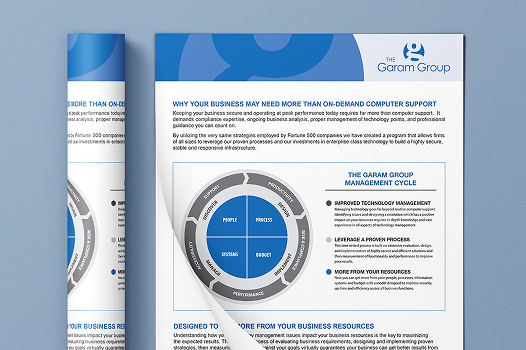
More than Break Fix Support
Build a secure, stable IT infrastructure with expert management and guidance.
Technology Management vs Computer Support
Improve productivity, reduce costs, and drive growth with properly managed technology.

The I.T. Buyer’s Guide for Small Business Owners
Discover what you should expect to pay and how to choose the right provider.
The Pros and Cons of a VoIP Phone System
Learn the key pros and cons of VoIP to determine if it’s right for your business.
Technology Management vs Computer Support
Improve productivity, reduce costs, and drive growth with properly managed technology.
More than Break Fix Support Proactive IT Solutions
Build a secure, stable IT infrastructure with expert management and guidance.
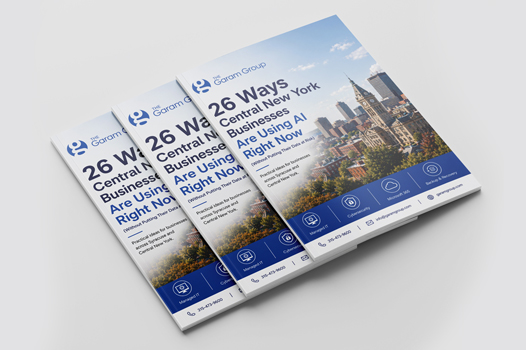
26 Ways Central New York Businesses Are Using AI
Practical data security and privacy ideas for businesses across Syracuse and New York.
Watch our Latest Webinars On-Demand
On-demand webinars are archived recordings of previous Garam Group webinars, available 24/7 for viewing at your convenience.
Why It's Important to Backup Your Office 365 Data
Data stored in cloud-based applications is just as vulnerable to deletion and corruption as data stored on-premise. Although Microsoft does its best to make sure your Office 365 data is safe and backed up there are several cases where your company’s critical data and messages can be lost or compromised.
That’s why it’s important to make sure you have Office 365 backups from a 3rd party.
In this short webinar, we explain the 3 types of typical data loss for Office 365 users and an affordable solution from Datto for cloud backups that provides a quick and easy path to restore your important data.

Keep Your People and Your Network Safe The Importance of Cybersecurity Training
In today’s digital, always connected world, cybercriminals are constantly scheming ways to breach your network and steal your user’s credentials to key systems. In this webinar, we look at the importance of cybersecurity training and some of the changes that have happened in the last few years with the type of cyberattacks we find our clients, and the rest of the world, facing. Learn how to keep your people and your network safe.
Download our Resource Guides

The Pros and Cons of a VoIP Phone System
Are you thinking about making the switch to Voice Over IP for your next business phone system? Businesses are finding that while utilizing VoIP technology has countless advantages, if you are not careful there can be some disadvantages as well. To make the right choice, it’s essential to evaluate the advantages and disadvantages of a traditional PBX versus VoIP.
This free guide will look at the Pros and Cons of VoIP to help you make sure a VoIP Phone system is right for your business.
More than Break Fix Support

Keeping your business secure and operating at peak performance today requires far more than computer support. It demands IT Services, combining compliance expertise, ongoing business analysis, proper management of technology points, and professional guidance you can count on. By utilizing the very same strategies employed by Fortune 500 companies, we’ve created a program that helps businesses in Syracuse and all across Central NY leverage our proven processes and investments to build a highly secure, stable, and responsive IT infrastructure.
Technology Management vs Computer Support

Properly managed technology is essential for businesses looking to increase profitability. With the right Syracuse IT services company, businesses in in the area and all across Central NY can harness technology such as computer networks and cloud solutions, to stay competitive, boost productivity, and reduce costs. Unfortunately, growth for many organizations is often slowed by mismanaged or outdated technology. Technology management must go far beyond the routine computer support which many small and mid-sized businesses have grown accustomed to. To realize the business improving potential of modern technology and to minimize the many risks that come with it, businesses of all sizes must address several critical technology management factors. Partnering with the right Syracuse IT services company and all across Central NY ensures these factors are handled proactively, allowing organizations to focus on growth and performance.
Syracuse and Central New York Tech Tips
Explore insights, tips, and expert advice on IT Services, cybersecurity, VoIP phone service, and technology trends. As the leading Syracuse IT services company, we're proud to have developed a blog that helps you navigate challenges, improve efficiency, & stay ahead in the ever-evolving world of business tech in Central New York.

Agentic AI: What It Means When AI Stops Assisting and Starts Acting
For the past couple of years, most businesses have used AI as a helper. You ask it a question, it gives you an answer. You paste in some text, it rewrites it. You describe a problem, it suggests a solution. The human drives every step. That dynamic is starting to change in a significant way, and if you run a business, it is worth understanding what comes next.
Quick Answer
Agentic AI is software that does not just respond to prompts but can take actions and complete multi-step tasks on your behalf.
- Traditional AI assists: you ask, it answers
- Agentic AI acts: it can carry out tasks across steps and systems
- This unlocks real automation but also new oversight needs
- Clear guardrails and human review matter more as AI takes action
- Start with low-risk tasks before handing over anything critical
What Is Agentic AI?
Agentic AI refers to AI systems that can take action independently rather than just responding to prompts. Instead of waiting to be asked, you give an agentic AI a goal and it plans the steps, executes them, monitors the results, and adjusts along the way without needing you to direct each individual move.
Think of the difference between a calculator and a capable employee. A calculator gives you an answer when you put in the numbers. An employee understands what outcome you want, figures out what needs to happen, and gets it done. Agentic AI is moving in the direction of the second model.
Practical examples already exist. An agentic AI might receive a customer inquiry, look up the account history, draft a response, check it against your policies, send it, and log the interaction without any human touchpoint in the middle.
Why This Matters for Small and Mid-Sized Businesses
On the opportunity side, agentic AI can handle multi-step processes that currently require real human time. Scheduling complex projects, processing and routing customer inquiries, generating weekly reports, onboarding new clients through a series of steps, these are all strong candidates for agentic workflows.
For a lean team, the ability to run these processes automatically without dedicated headcount is a meaningful advantage.On the caution side, when AI is taking action on your behalf rather than just informing your decisions, the stakes for a mistake are higher. An AI that misunderstands an instruction and sends the wrong response to a client is a different kind of problem than one that gives you an imperfect draft to review before sending.
What to Pay Attention to Right Now
You do not need to build an agentic AI system from scratch. The more immediate reality is that your existing software is already adding agentic features. Microsoft, Google, Salesforce, HubSpot, and most major business platforms are rolling out autonomous AI capabilities inside tools you already use.
Define which decisions AI can make on its own and which require a human to review or approve before anything happens. For low-stakes, high-repetition tasks, full automation may be exactly right. For anything involving money, client relationships, or consequential business decisions, a human checkpoint should remain.
The Bottom Line
Agentic AI is not a future concept. It is showing up in the tools your business is already using, and its footprint will grow significantly over the next twelve to twenty-four months. The businesses that benefit most will be the ones that approach it intentionally: clear about where automation helps, clear about where human judgment stays in the picture.
Frequently Asked Questions
What is agentic AI?
Agentic AI refers to AI systems that can take actions and complete multi-step tasks on their own, rather than only answering questions or generating content when prompted.
How is agentic AI different from a chatbot?
A chatbot responds to what you ask. An agentic system can plan and execute a sequence of actions toward a goal, which is powerful but requires guardrails.
Is agentic AI safe for small businesses to use?
It can be, with the right oversight. Start with low-risk, well-defined tasks, keep a human in the loop, and expand only as you build trust in the results.
How should a business start using agentic AI?
Identify repetitive, rules-based tasks, set clear boundaries for what the AI can and cannot do, and review its output before scaling its responsibilities.
Not sure where to start with AI in your business? Our team helps small and mid-sized businesses identify the right tools, set up the right guardrails, and get real results without the guesswork. Reach out to schedule a conversation.

Watch our On-Demand Phone Training Videos
We understand that switching to a new phone system can be intimidating. That’s why we provide live and on-demand video training to all our customers. In no time at all you and your staff will be using your new Highbridge Communications Phone System like a pro!
Learn all the functions of your phone including:
How to make and receive calls
How to put calls on hold or park
How to transfer calls
How to have a 3-way conference call
Setting up and accessing voicemail
How to use paging to make announcements
